MACOS / DEVELOPMENT BUILD

Make room for
your next image.

Bring a focused image workspace to your Mac. Imaginer 0.3.13 is available as an Apple silicon development build. It works locally without an account; this build is not yet Developer ID signed or notarized.

Apple silicon · macOS 13 runtime minimum · 142.0 MB

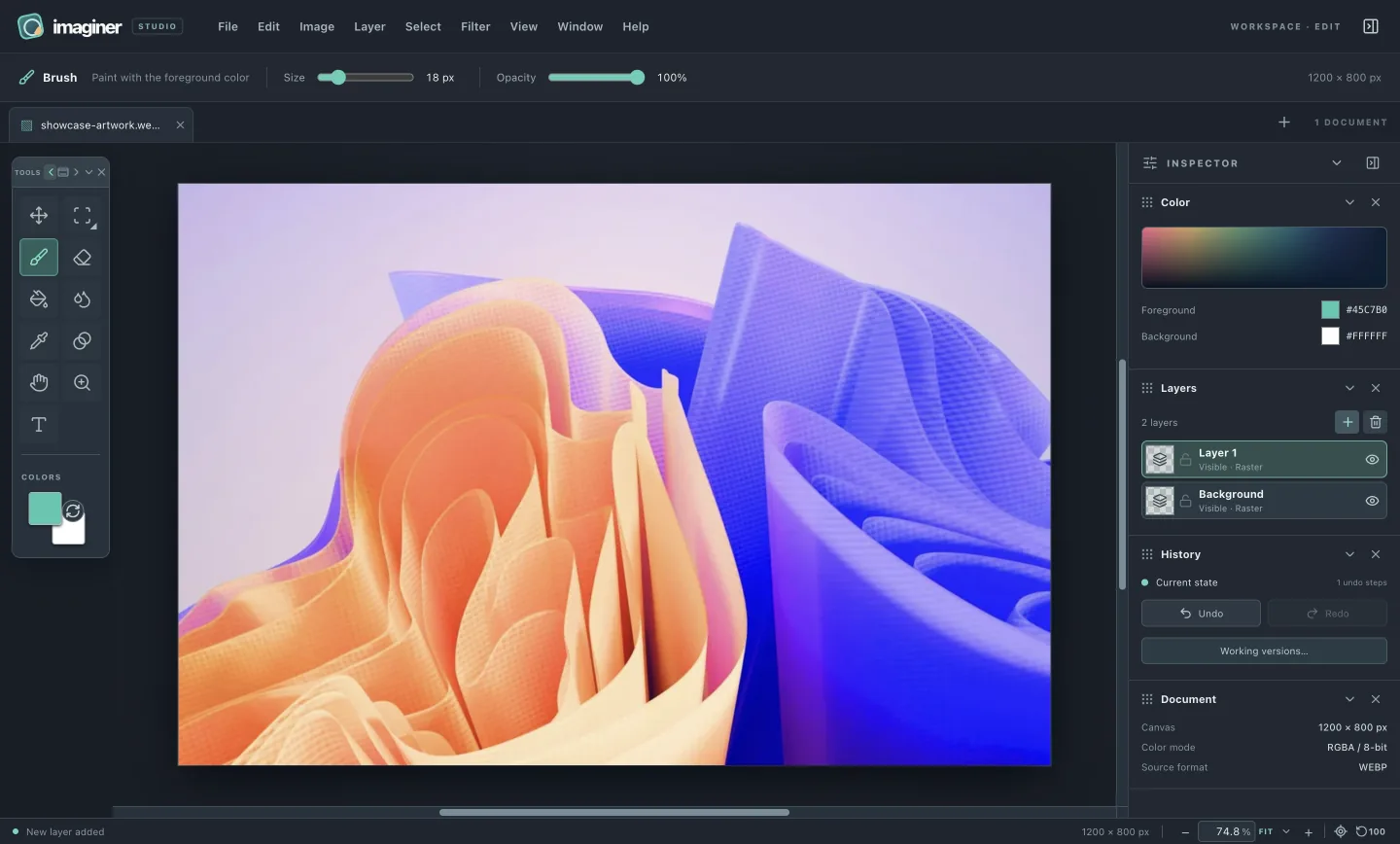
Actual Imaginer editor showing a colorful artwork with floating tools and a layers inspector
THE CURRENT EDITORActual app capture
STATUS
0.3.13 development build
MAC
Apple silicon
MINIMUM RUNTIME
macOS 13 Ventura
BUILT ON
macOS 26.7
BEFORE YOU INSTALL

A direct download.
A clear picture.

This Apple silicon build was packaged on macOS 26.7. macOS 13 is the minimum for its Electron runtime; that does not mean every supported macOS version or another Mac has been tested.

01

Check the file.

The disk image below has an exact filename, size and SHA-256 checksum. Compare the checksum of your download before installing it.

03

Explore the preview.

Open the DMG and drag Imaginer into Applications. A Developer ID signed, notarized build and broader Mac testing are planned for a later release.

A PREVIEW, WITH ITS LIMITS IN VIEW

Know what you’re installing.

This build adds editable clipping masks and alpha masks, 27 blend modes, ten layer effects with optional Preview, paired sliders and precise fields, and portable JSON shortcut maps. It also includes Crop, Clone Stamp, Smudge, Sharpen, vector shapes, and Scale, Distort, Skew and Mesh Warp. PNG saves the visible composite; PSD and OpenRaster cannot preserve clipping relationships or editable effect settings, so unsupported layered exports report an error. Local working versions preserve these edits during a session and are discarded when a document closes. Try the clipping example or set up shortcuts.

Read the technical details
THE DEVELOPMENT BUILD

A build to try.
Details to check.

This is an early, free-to-use build. Confirm the checksum after downloading and review the signing status before installing it on your Mac.

Download DMG
File
Imaginer-latest-mac-arm64.dmg
Size
142.0 MB (135.5 MiB)
SHA-256
2452ae6760a86835ccd07bf1d9a5370e1b92528a7f3b71d67bc85eecb385d92b
Platform
Apple silicon · macOS 13 runtime minimum
Signing
Ad hoc signature; not notarized
NEXT / EXPLORE

See what’s inside.

Review the editor’s tools, file flow and present limits before you make it part of your work.

Inside the app
Coming from another image editor?

If your workflow includes Adobe Photoshop, Affinity, GIMP or Krita, Imaginer offers familiar layers, selections, guides and paint tools in a smaller local workspace. This preview does not yet offer the same breadth of formats or a portable layered project file, so check the current limits before moving a project.

Review supported formats and limits